package net.javainthebox.javafx;

import javafx.animation.KeyFrame;
import javafx.animation.Timeline;
import javafx.scene.CustomNode;
import javafx.scene.Group;
import javafx.scene.input.MouseEvent;
import javafx.scene.Node;
import javafx.scene.paint.Color;
import javafx.scene.paint.LinearGradient;
import javafx.scene.paint.Stop;
import javafx.scene.shape.Line;
import javafx.scene.shape.Rectangle;
import javafx.stage.Stage;

public class FadingApplicationBar extends CustomNode {
    public-init var stage: Stage;
    override var opacity = 0.0;
    var tempOpacity = 0.0;

    var fadein = Timeline {
        keyFrames: [
            KeyFrame {
                time: 0s
                values: [
                    opacity => tempOpacity
                ]
            },
            KeyFrame {
                time: 1s
                values: [
                    opacity => 1.0
                ]
            }
        ]
    };

    var fadeout = Timeline {
        keyFrames: [
            KeyFrame {
                time: 0s
                values: [
                    opacity => tempOpacity
                ]
            },
            KeyFrame {
                time: 1s
                values: [
                    opacity => 0.0
                ]
            }
        ]
    };

    public override function create(): Node {
        Group {
            content: [
                Rectangle {
                    x: 0,
                    y: 0
                    width: bind stage.width
                    height: 20
                    opacity: bind opacity
                    fill: LinearGradient {
                        startX: 0.0,
                        startY: 0.0,
                        endX: 1.0,
                        endY: 0.0
                        proportional: true
                        stops: [
                            Stop {
                                offset: 0.0
                                color: Color.GRAY
                            },
                            Stop {
                                offset: 1.0
                                color: Color.BLACK
                            }
                        ]
                    }

                    onMouseEntered: function( e: MouseEvent ):Void {
                        fadeout.stop();
                        tempOpacity = opacity;
                        fadein.play();
                    }
                    onMouseExited: function( e: MouseEvent ):Void {
                        fadein.stop();
                        tempOpacity = opacity;
                        fadeout.play();
                    }
                    onMouseDragged:function(e:MouseEvent):Void {
                        stage.x += e.dragX;
                        stage.y += e.dragY;
                    }
                },
                Rectangle {
                    x: bind stage.width - 16
                    y: 4
                    width: 12
                    height: 12
                    fill: Color.BLACK
                    stroke:Color.WHITE
                    onMouseClicked: function( e: MouseEvent ):Void {
                        stage.close();
                    }
                },
                Line {
                    startX: bind stage.width - 16
                    startY: 4
                    endX: bind stage.width - 4
                    endY: 16
                    strokeWidth: 1
                    stroke: Color.WHITE
                },
                Line {
                    startX: bind stage.width - 4
                    startY: 4
                    endX: bind stage.width - 16
                    endY: 16
                    strokeWidth: 1
                    stroke: Color.WHITE
                },
            ]
        }
    }
}
import javafx.animation.KeyFrame;
import javafx.animation.Timeline;
import javafx.scene.image.Image;
import javafx.scene.image.ImageView;
import javafx.scene.Scene;
import javafx.stage.Stage;
import javafx.stage.StageStyle;
import net.javainthebox.javafx.FadingApplicationBar;

var opacity = 0.0;

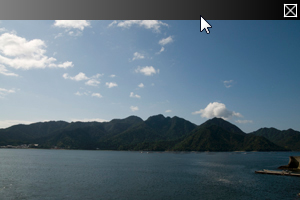
var stage = Stage {
    title: "Fading Image"
    style: StageStyle.TRANSPARENT

    scene: Scene {
        width: 300
        height: 200
        fill: null

        content: [
            ImageView {
                opacity: bind opacity
                image: Image {
                    url: "{__DIR__}scenery.jpg"
                }
            },
        ]
    }
};

var bar = FadingApplicationBar {
    stage: stage
};
insert bar into stage.scene.content;

Timeline {
    keyFrames: [
        KeyFrame {
            time: 0s
            values: [
                opacity => 0.0
            ]
        },
        KeyFrame {
            time: 2s
            values: [
                opacity => 1.0
            ]
        }
    ]
}.play();